
 English
 Slovenčina
 Français
 Magyar

Why Users Seek Olark Alternatives: Understanding the Limitations of Olark Chat

Are you considering moving beyond Olark’s basic live chat functionality? You’re not alone. While Olark provides a straightforward chat solution, many businesses outgrow its capabilities as their customer support needs evolve.
The primary limitations driving users to seek Olark alternatives include:
- Pricing structure concerns: Olark’s base price of $29 per agent/month seems reasonable, but costs quickly escalate when adding essential PowerUps ($29-$99 each). These flat-fee add-ons don’t scale economically as your team grows.
- Limited automation capabilities: Olark’s Standard plan offers only basic automation rules (simple triggers based on URL or time on page). True AI chatbot capabilities (CoPilot) are restricted to the custom-priced Pro plan, leaving Standard users with minimal automation options.
- Integration gaps: While Olark connects with major platforms, users report limitations in the depth of these integrations, particularly when trying to build comprehensive support workflows across multiple tools.
- Single-channel focus: Olark excels at website chat but lacks native omnichannel capabilities. Today’s customers expect seamless communication across email, social media, and messaging apps—all managed from one interface.
For growing businesses, these limitations often become significant pain points, particularly when scaling support operations or implementing AI-driven customer service strategies.
What a Strong Alternative to Olark Must Offer: Key Features to Consider

When evaluating Olark alternatives, what features should you prioritize? Based on our research and customer feedback, here’s what to look for:
Omnichannel Inbox Capabilities
A truly effective Olark alternative should provide a unified inbox that consolidates conversations from multiple channels:
- Website chat, email, and social media messages in one interface
- Consistent customer history and context across all channels
- Seamless transitions between channels without losing conversation history
- Mobile apps for agents to respond on the go
High-Quality AI Chatbots
Modern AI capabilities have transformed what’s possible with automated support:
- Sophisticated intent recognition that understands customer queries
- Ability to resolve common questions without human intervention
- Seamless handoff to human agents when needed, with full context
- Analytics to track automation rate and continuously improve performance
Robust Native Integrations
Look for platforms that offer deep, native integrations with essential business tools:
- Salesforce: Bi-directional sync of customer data and conversations
- Slack: Real-time notifications and the ability to respond directly from Slack
- WordPress: Easy embedding with advanced customization options
- Zendesk: Ticket creation and management within the conversation interface
Open API and Developer Tools
For custom needs, a flexible API is essential:
- Comprehensive API documentation and developer resources
- Webhooks for real-time data exchange
- Custom widget capabilities and branding options
- Mobile SDKs for in-app messaging
By prioritizing these capabilities, you’ll find an Olark alternative that not only solves your immediate challenges but also scales with your business as it grows.
How We Evaluated Olark Competitors: Criteria for Comparison

To provide you with a fair and comprehensive assessment of Olark alternatives, we developed a rigorous evaluation framework focusing on the following criteria:
Total Cost of Ownership (TCO)
We analyzed not just the headline price per agent, but the true cost over time:
- Base subscription costs across different team sizes (1, 5, 10, 25+ agents)
- Additional costs for essential features (AI, automation, reporting)
- Hidden fees and scaling costs as volume increases
- Pricing predictability and transparency
Migration Ease from Olark
Switching platforms shouldn’t be painful:
- Data export/import capabilities
- Conversation history transfer
- Widget customization similarities
- Training requirements for agents
- Vendor-provided migration assistance
Uptime and SLA Guarantees
Reliability is non-negotiable for customer-facing tools:
- Published uptime guarantees (99.9%+)
- Service Level Agreement terms
- Historical reliability track record
- Incident response protocols
- Maintenance communication standards
Data Portability and Security
Your customer conversation data matters:
- GDPR and privacy compliance
- Data export capabilities
- Encryption standards
- Access controls and permissions
- Data retention policies
Vendor Support Quality
The support you receive affects implementation success:
- Availability of live support
- Response time standards
- Implementation assistance
- Training resources
- Community and knowledge base quality
By evaluating alternatives against these criteria, we’ve identified solutions that truly address the limitations of Olark while providing excellent value and performance.
Fast Orientation with Direct Matchups: Comparing Olark Alternatives

Before diving into detailed reviews, here’s a quick comparison of how major competitors stack up against Olark in key areas:
LiveChat vs Olark
- Key difference: LiveChat offers more robust reporting, a larger marketplace of integrations, and a more polished agent experience.
- Pricing advantage: Similar entry point but LiveChat includes more features in the base price.
- Best for: Teams that need deeper analytics and a more mature marketplace of integrations.
Zendesk Chat vs Olark
- Key difference: Zendesk provides enterprise-grade ticketing, advanced SLAs, and comprehensive workflows.
- Pricing advantage: Higher initial cost but better scaling for large teams.
- Best for: Organizations requiring sophisticated ticket management and extensive customization.
Intercom vs Olark
- Key difference: Intercom offers in-app messaging, product tours, and comprehensive marketing automation.
- Pricing advantage: Olark is significantly cheaper for basic chat, but Intercom delivers more value for product-led teams.
- Best for: SaaS companies focused on product-led growth and in-app engagement.
Drift vs Olark
- Key difference: Drift specializes in revenue-focused conversations and account-based marketing workflows.
- Pricing advantage: Olark is more affordable, but Drift offers superior sales pipeline generation.
- Best for: B2B companies prioritizing conversational marketing and sales acceleration.
These quick comparisons highlight how different alternatives excel in specific areas. Now, let’s examine each option in greater detail.
Talkees: The Modern and Affordable Alternative to Olark

Talkees stands out as a contemporary, flexible Olark alternative that delivers AI-first omnichannel support at a price point accessible to growing businesses.
Detailed Feature Overview
- Omnichannel inbox: Unified messaging across web chat, email, WhatsApp, and social channels
- Advanced AI capabilities: AI-powered chatbot with high containment rates for repetitive inquiries
- Knowledge base integration: Automatically suggests relevant articles to both agents and customers
- Intuitive interface: Clean, modern design that reduces agent training time
- Open API and webhooks: Extensive customization options for developers
Pricing Breakdown
- Free plan: Available for small teams with basic needs
- Standard: $29/user/month with unlimited conversations
- AI usage: $0.29 per AI resolution (transparent, predictable pricing)
- No hidden fees: No separate charges for essential features
Real User Experiences
Customers consistently praise Talkees for its balance of powerful features and ease of use. G2 reviews highlight the platform’s “intuitive design” and “surprisingly accurate AI responses.” One e-commerce manager noted: “We switched from Olark because we needed better automation. Talkees’ AI has reduced our response time by 67% while maintaining high customer satisfaction.”
Advantages
- Transparent, predictable pricing without expensive add-ons
- AI capabilities included at a reasonable cost
- Fast implementation (typically under 1 week)
- Excellent mobile experience for agents
- Regular feature updates based on user feedback
Limitations
- Newer platform with a growing (but not yet extensive) marketplace
- Some advanced enterprise features still in development
- Limited phone support options compared to legacy providers
Our Subjective Assessment
During our testing, Talkees impressed us with its clean interface and the speed at which we could set up automated workflows. The AI chatbot performed exceptionally well after minimal training, correctly handling about 70% of common support queries without human intervention.
What particularly stood out was the seamless transition between automated and human support—customers couldn’t tell when the handoff occurred, and agents received complete context. For teams looking to move beyond Olark’s basic functionality without the enterprise price tag of Intercom or Zendesk, Talkees hits a sweet spot of capability and affordability.
Intercom: Enterprise Automation and Product Tours as an Olark Competitor for Product-Led Teams

Intercom has evolved from a simple chat widget into a comprehensive customer messaging platform that significantly outpaces Olark in functionality—particularly for product-led SaaS companies.
Detailed Feature Overview
- Business Messenger: Real-time chat with typing indicators, attachments, and rich content
- In-app messaging: Native SDKs for web, iOS, and Android to place chat within your product
- Resolution Bot: AI-powered automation that resolves common questions without human involvement
- Product Tours: Guided walkthroughs for onboarding and feature adoption (additional cost)
- Campaign builder (Series): Visual journey builder for orchestrating messages across channels
- Account-based marketing: Target messaging at the company level for B2B businesses
Pricing Breakdown
- Starter plans: Begin around $74/month (Start), increasing to $136/month (Grow) and $315/month (Accelerate)
- Add-ons: Product Tours often costs around $199+/month additional
- Contact-based pricing: Costs increase as your audience grows
- Multi-channel costs: Additional fees for WhatsApp/SMS and high-volume email
Real User Experiences
Intercom users praise the platform’s comprehensive capabilities but often mention the cost. According to G2 reviews, customers appreciate the “powerful automation” and “excellent in-app experience.” A product manager shared: “Intercom transformed our onboarding process with targeted in-app messages, but we had to budget carefully for the additional modules and growing contact list.”
Advantages
- Comprehensive solution for support, engagement, and growth
- Sophisticated AI with continuous improvement
- Excellent in-app messaging experience
- Powerful targeting and segmentation
- Robust analytics and reporting
Limitations
- Significant cost that increases with contacts and add-ons
- Complex implementation requiring dedicated resources
- Steeper learning curve than simpler alternatives
- Can feel overwhelming for small teams
Our Subjective Assessment
Testing Intercom revealed an impressive but complex platform. The Resolution Bot handled a wide range of queries effectively, and the in-app messaging capabilities are unmatched for product-led companies. However, the pricing structure quickly becomes challenging to predict as you add features and contacts.
For SaaS companies that need deep product integration and sophisticated customer journeys, Intercom delivers exceptional value despite the cost. For simpler use cases or budget-conscious teams, the investment may be difficult to justify compared to more focused alternatives like Talkees or LiveChat.
Drift: Revenue Chat and ABM Workflows Beyond Olark’s Capabilities

Drift positions itself as a revenue acceleration platform rather than just a chat solution, making it fundamentally different from Olark’s support-focused approach.
Detailed Feature Overview
- Conversational marketing: AI chatbots designed to qualify leads and book meetings
- Account-based marketing: Target specific high-value accounts with personalized experiences
- Intelligent routing: Direct conversations to the right sales rep based on territory, product interest, or account ownership
- Meeting scheduler: Seamless calendar integration for booking sales calls
- Conversation intelligence: Analytics focused on pipeline generation and revenue impact
Pricing Breakdown
- Premium: Often cited around $2,500/month (significantly higher than Olark)
- Enterprise: Custom pricing based on needs
- Implementation: May require professional services
- Additional seats: Substantial cost for growing teams
Real User Experiences
Drift users typically come from sales and marketing teams rather than support. Reviews highlight the “direct impact on pipeline” and “excellent lead qualification.” A marketing director noted: “Drift paid for itself by dramatically increasing qualified meetings from our website, but it’s definitely an investment rather than just a chat tool.”
Advantages
- Directly ties conversations to revenue generation
- Sophisticated targeting and personalization
- Native integration with sales tools and CRMs
- Excellent analytics for tracking conversion
- Purpose-built for B2B sales processes
Limitations
- Premium pricing puts it out of reach for many small businesses
- Overkill for simple customer support use cases
- Less focused on post-sale support workflows
- Requires significant configuration for maximum value
Our Subjective Assessment
Our testing confirmed that Drift excels at what it’s designed for—generating qualified conversations that convert to revenue. The platform feels polished and purposeful, with every feature oriented toward moving prospects through the sales funnel.
However, this specialized focus comes at a premium price that makes sense primarily for B2B companies with high-value deals. For organizations seeking a general-purpose chat solution like Olark, Drift represents significant feature and price overkill. Consider Drift only if your primary goal is using conversations to drive pipeline rather than support existing customers.
LiveChat: Marketplace, Reporting, and Agent UX vs Olark’s Lightweight Approach
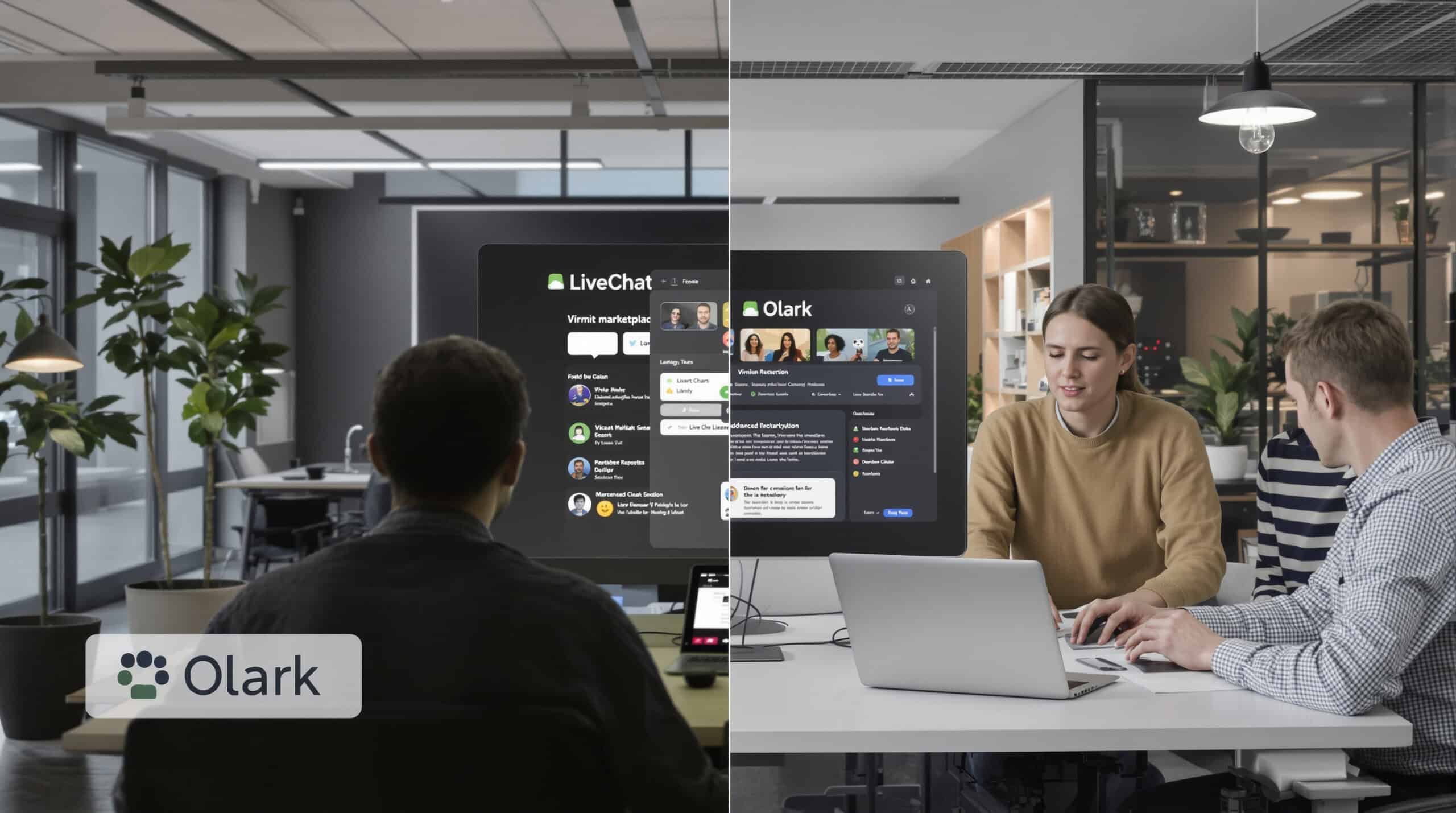
LiveChat offers a more robust and mature platform compared to Olark’s simpler approach, with particular strengths in its marketplace, analytics, and agent experience.
Detailed Feature Overview
- Customizable chat widget: Extensive branding and behavior options
- Advanced routing and distribution: Skills-based assignment and workload balancing
- Rich marketplace: Over 200 integrations including WhatsApp connection
- Detailed analytics: Comprehensive reporting on team performance and customer satisfaction
- Ticket system: Built-in case management without requiring external tools
- ChatBot add-on: AI automation available as a supplementary product
Pricing Breakdown
- Starter: Approximately $19 per seat/month
- Team: Around $41 per seat/month
- Business: About $59 per seat/month
- Add-ons: ChatBot is priced separately
Real User Experiences
LiveChat receives consistently positive reviews for its reliability and ease of use. Customers frequently mention the “intuitive agent dashboard” and “excellent reporting capabilities.” A support manager shared: “After switching from Olark, we immediately noticed improved agent productivity and better visibility into our support metrics.”
Advantages
- Mature, stable platform with excellent uptime
- Extensive marketplace of pre-built integrations
- Superior reporting and analytics
- Intuitive agent interface requiring minimal training
- Balanced feature set for most business needs
Limitations
- AI capabilities require separate ChatBot product
- Less focus on in-app messaging compared to Intercom
- More expensive than basic chat-only solutions
- Can feel dated compared to newer alternatives
Our Subjective Assessment
During our evaluation, LiveChat demonstrated why it’s a popular Olark alternative—it delivers a polished, reliable experience that scales well for growing teams. The agent interface is particularly well-designed, making it easy for support staff to manage multiple conversations efficiently.
The reporting capabilities significantly outshine Olark’s, providing detailed insights into team performance and customer satisfaction. While not as cutting-edge as some newer platforms in terms of AI capabilities, LiveChat offers a well-balanced solution for businesses seeking a proven, stable platform with a rich ecosystem of integrations.
Zendesk Chat: Deep Ticketing, SLAs, and Workflows vs Olark

Zendesk Chat (formerly Zopim) is part of the broader Zendesk Suite, offering enterprise-grade ticketing and workflow capabilities that far exceed Olark’s simpler approach.
Detailed Feature Overview
- Unified ticketing system: Seamless conversion of chats to tickets
- Advanced SLA management: Comprehensive service level agreement tracking and enforcement
- Sophisticated workflows: Automation rules, macros, and triggers for complex support processes
- Omnichannel inbox: Unified view of conversations across chat, email, phone, and social
- Enterprise security: SSO, audit logs, and compliance features
- Knowledge base integration: Connected self-service content to reduce ticket volume
Pricing Breakdown
- Suite Team: $49/agent/month
- Suite Growth: $79/agent/month
- Suite Professional: $99/agent/month
- Enterprise: Custom pricing
Real User Experiences
Zendesk users value the platform’s comprehensive capabilities and enterprise readiness. Reviews highlight the “seamless ticketing integration” and “powerful workflow automation.” An IT director noted: “Zendesk gives us the structure and accountability we need for managing complex support processes across a large team—something we couldn’t achieve with Olark.”
Advantages
- Enterprise-grade ticketing and workflow capabilities
- Excellent SLA management and reporting
- Comprehensive security and compliance features
- Seamless escalation between channels
- Extensive customization options
Limitations
- Significant cost compared to basic chat solutions
- Complex implementation requiring dedicated resources
- Can feel overwhelming for small teams
- Less focused on marketing/sales use cases
Our Subjective Assessment
Testing Zendesk Chat as part of the Suite revealed a platform built for serious support operations. The ticketing system is exceptionally robust, with powerful automation capabilities that help large teams maintain consistency and accountability.
The integration between chat and other support channels is seamless, creating a unified customer experience regardless of how they reach out. However, this power comes with complexity—Zendesk requires significant setup and ongoing management to maximize its value.
For enterprises with complex support needs or regulatory requirements, Zendesk provides capabilities that Olark simply can’t match. For smaller teams or those with simpler needs, the platform may represent overkill in both features and cost.
Tidio: Budget-Friendly Live Chat and Chatbot for SMBs as an Alternative to Olark

Tidio offers a compelling combination of live chat and AI chatbot capabilities at a price point that makes it particularly attractive for small to medium-sized businesses looking for an Olark alternative.
Detailed Feature Overview
- Live chat widget: Clean, customizable interface with visitor information
- Lyro AI chatbot: Advanced AI that can handle up to 67% of repetitive inquiries
- Visual chatbot builder: No-code interface for creating automated flows
- Pre-built templates: Ready-to-use chatbot scenarios for common use cases
- Multi-channel inbox: Manage chat, email, and Messenger conversations
- Visitor tracking: Real-time visitor monitoring with engagement triggers
Pricing Breakdown
- Free plan: Available with basic functionality
- Starter: Around $24/month
- Growth: Approximately $49/month with Lyro AI
- Enterprise options: Custom pricing for larger implementations
Real User Experiences
Tidio receives positive reviews for its ease of use and effective AI capabilities. Users frequently mention the “quick setup process” and “surprisingly capable free plan.” A small business owner shared: “We implemented Tidio in under an hour and immediately saw results. The AI chatbot handles basic questions overnight, and we’ve seen a 15% increase in lead capture.”
Advantages
- Excellent value for money
- Impressive AI capabilities at lower price points
- Very quick implementation
- Intuitive interface requiring minimal training
- Generous free plan for testing
Limitations
- Less robust for enterprise needs
- Fewer advanced workflow options than premium alternatives
- Limited reporting compared to specialized analytics platforms
- Mobile app experience not as polished as some competitors
Our Subjective Assessment
During our testing, Tidio stood out for how quickly we could get up and running with both live chat and automated responses. The Lyro AI chatbot performed admirably with minimal training, successfully handling common questions and collecting customer information.
The platform strikes an excellent balance between capability and simplicity—it offers enough features to significantly improve customer engagement without overwhelming users with complexity. For small businesses looking to move beyond Olark’s basic functionality without a significant price increase, Tidio represents one of the most accessible options on the market.
Tawk.to: Free Live Chat at Scale and Trade-offs vs Olark and Paid Tools

Tawk.to disrupts the live chat market with its completely free core product, offering unlimited agents and chats with optional paid add-ons.
Detailed Feature Overview
- Free unlimited agents: No restrictions on team size
- Unlimited chat volume: No conversation caps
- Visitor tracking: Monitor website visitors in real-time
- Basic ticketing: Simple ticket management system
- Mobile apps: iOS and Android applications for agents
- Multi-language support: Widget available in 45+ languages
Pricing Breakdown
- Core product: Completely free
- Remove branding: $19/month
- Hired agents: $1/hour for Tawk.to-provided agents
- Other add-ons: Various optional paid features
Real User Experiences
Tawk.to users consistently praise the value proposition. Reviews highlight the “unbeatable price” and “surprisingly robust features.” A nonprofit director noted: “Tawk.to allowed us to implement live chat across our entire organization without budget concerns. The free plan has everything we need, and we only pay for removing the branding.”
Advantages
- Unbeatable price point (free core product)
- No agent limits or conversation caps
- Solid basic functionality
- Low-risk implementation
- Reasonable paid add-ons
Limitations
- Less polished UI than paid alternatives
- Fewer advanced features and integrations
- Limited customization options
- Basic reporting capabilities
- Less sophisticated automation
Our Subjective Assessment
Testing Tawk.to revealed a platform that delivers impressive value for its price (free). The core chat functionality works reliably, and the unlimited agent allowance makes it uniquely scalable for organizations with large or fluctuating teams.
The interface is functional rather than beautiful, and the platform lacks some of the refined features of paid alternatives. However, for organizations prioritizing budget over advanced capabilities, Tawk.to offers a compelling proposition that no other vendor can match.
The ability to hire Tawk.to agents at $1/hour also provides an interesting hybrid option for organizations that need 24/7 coverage but lack the internal resources to provide it—something not available with Olark or most other alternatives.
Crisp: Multichannel Inbox, Knowledge Base, and Automation Features Surpassing Olark

Crisp offers a comprehensive customer messaging platform that extends well beyond Olark’s capabilities, particularly in its unified inbox and knowledge base features.
Detailed Feature Overview
- All-in-one inbox: Unified messaging across chat, email, social, and WhatsApp
- Knowledge base: Integrated help center with chatbot connection
- MagicBrowse: Co-browsing functionality without plugins
- Chatbot builder: Visual flow builder for automated conversations
- Campaign manager: Targeted messaging across channels
- Custom LLM: Train AI on your data for personalized responses
Pricing Breakdown
- Free plan: Basic functionality for small teams
- Pro: Approximately $25/month
- Unlimited: Around $95/month
- Enterprise options: Custom pricing for larger implementations
Real User Experiences
Crisp users appreciate the platform’s broad functionality and reasonable pricing. Reviews highlight the “excellent unified inbox” and “powerful knowledge base integration.” A software company CEO shared: “Crisp gives us everything we need in one platform—live chat, email management, and a help center—at a fraction of what we’d pay for separate tools.”
Advantages
- Comprehensive feature set at competitive prices
- Excellent unified inbox experience
- Built-in knowledge base functionality
- Strong co-browsing capabilities
- Clean, modern interface
Limitations
- Some advanced features only on higher tiers
- Mobile app less robust than desktop experience
- Learning curve for all capabilities
- Some users report occasional performance issues
Our Subjective Assessment
Our testing revealed Crisp to be a surprisingly powerful platform that packs numerous capabilities into an accessible package. The unified inbox effectively brings together conversations from multiple channels, and the knowledge base integration is among the best we’ve seen.
The MagicBrowse co-browsing feature works more smoothly than many competitors, providing valuable context for support interactions. While not as deeply specialized as some alternatives, Crisp offers an excellent balance of breadth and usability at a price point that makes it accessible to businesses of various sizes.
For organizations looking to consolidate multiple communication tools into a single platform without the enterprise price tag, Crisp represents a compelling Olark alternative that delivers significant additional value.
HelpCrunch: Unified Chat, Email Campaigns, and In-App Messaging Beyond Olark

HelpCrunch provides a broader customer communication platform than Olark, combining live chat with email marketing and in-app messaging capabilities.
Detailed Feature Overview
- Live chat: Customizable widget with proactive triggers
- Shared inbox: Unified team inbox for chat and email
- Email campaigns: Marketing automation and newsletters
- In-app messaging: Targeted in-product notifications
- Knowledge base: Self-service customer support portal
- Auto messages: Behavior-based triggered communications
Pricing Breakdown
- Basic: Starts around $15/agent/month
- Pro: Approximately $25/agent/month
- Enterprise: Custom pricing for larger implementations
- Additional costs: Based on email volume and contacts
Real User Experiences
HelpCrunch users value the platform’s combination of support and marketing capabilities. Reviews highlight the “seamless chat-to-email transitions” and “effective proactive messaging.” A marketing manager noted: “HelpCrunch gives us the ability to engage customers across their journey—from acquisition through support—in a way we couldn’t with Olark.”
Advantages
- Unified support and marketing capabilities
- Effective proactive engagement tools
- Good value for feature breadth
- Clean interface for both agents and customers
- Solid knowledge base functionality
Limitations
- Email campaign features less robust than dedicated tools
- Some advanced features only on higher tiers
- Mobile experience not as strong as desktop
- Fewer integrations than some competitors
Our Subjective Assessment
Testing HelpCrunch revealed a well-designed platform that successfully bridges support and marketing functions. The chat interface is clean and intuitive, while the email campaign capabilities provide valuable additional functionality not found in Olark.
The in-app messaging features work effectively for engaging users within web applications, though they’re not as sophisticated as Intercom’s. The knowledge base integration provides a solid foundation for self-service, reducing the volume of repetitive questions.
For businesses looking to combine customer support and engagement in a single platform without the complexity and cost of enterprise solutions, HelpCrunch offers a compelling middle ground that extends well beyond Olark’s capabilities.
Userlike: GDPR-First Messaging for EU Businesses as a Privacy-Centric Olark Alternative

Userlike stands out for its strong focus on privacy and compliance, making it particularly appealing for European businesses or those with strict data protection requirements.
Detailed Feature Overview
- GDPR-compliant messaging: Privacy-first approach to customer communications
- Messenger Connect: Unified inbox for website chat and messaging apps
- Resolution Bot: AI assistant for automated responses
- Smart Contact Center: Advanced routing and distribution
- Data residency options: EU-hosted data with strict privacy controls
- Secure authentication: Identity verification within chat
Pricing Breakdown
- Free plan: Basic functionality for small teams
- Team: Approximately €90/month
- Corporate: Around €290/month
- Business: About €720/month
Real User Experiences
Userlike customers particularly value the platform’s compliance features and European focus. Reviews highlight the “excellent GDPR implementation” and “reliable EU-based support.” A compliance officer shared: “Userlike gives us confidence that our customer communications meet all regulatory requirements—something we couldn’t guarantee with US-based alternatives.”
Advantages
- Exceptional privacy and compliance features
- EU data residency and support
- Strong messaging app integration
- Solid AI capabilities with privacy focus
- Clean, professional interface
Limitations
- Higher price point than some alternatives
- Smaller marketplace of integrations
- Less focus on marketing automation
- Some advanced features only on higher tiers
Our Subjective Assessment
During our evaluation, Userlike impressed with its thoughtful implementation of privacy features and compliance controls. The platform feels purpose-built for organizations that take data protection seriously, with GDPR compliance integrated at every level rather than added as an afterthought.
The messaging capabilities are robust, with excellent support for popular messaging apps alongside traditional web chat. The Resolution Bot performs well while maintaining strict data protection standards—something not all AI implementations can claim.
For European businesses or those with significant EU operations, Userlike offers a compelling alternative to Olark that addresses regulatory concerns while providing advanced messaging capabilities. The premium pricing reflects the specialized nature of the platform and its focus on compliance-sensitive industries.
Matching Tools to Use Cases: Who Should Choose Which Olark Alternative?

After evaluating all these alternatives, the question remains: which is right for your specific needs? Here’s our guidance based on common use cases:
For E-commerce Businesses
- Best overall: LiveChat offers the right balance of features, integrations, and price for most online retailers.
- Budget option: Tidio provides excellent e-commerce capabilities at a lower price point.
- Enterprise choice: Zendesk Chat integrates with comprehensive order management and CRM systems.
Key features to prioritize: proactive triggers based on cart value, product page integration, order lookup for agents, and abandonment recovery capabilities.
For SaaS and Product-Led Companies
- Best overall: Intercom’s in-app messaging and product tours are unmatched for SaaS businesses.
- Budget alternative: Talkees offers solid in-app capabilities at a more accessible price.
- Enterprise choice: Drift for B2B SaaS with sales-led motions.
Key features to prioritize: in-app messaging SDK, product tours, user segmentation, and feature announcement capabilities.
For Small Businesses and Startups
- Best overall: Talkees provides the right balance of capabilities and cost for growing businesses.
- Ultra-budget option: Tawk.to’s free plan offers remarkable value for bootstrapped startups.
- Scaling choice: Crisp grows nicely from startup to established business.
Key features to prioritize: ease of implementation, predictable pricing, and essential automation without complexity.
For Support-Heavy Organizations
- Best overall: Zendesk Chat provides the structure and accountability needed for large support teams.
- Budget alternative: HelpCrunch offers solid support capabilities at a lower price point.
- Specialized needs: Userlike for compliance-focused organizations.
Key features to prioritize: ticketing workflows, SLA management, team performance analytics, and knowledge base integration.
For AI-First Projects
- Best overall: Talkees offers excellent AI capabilities with transparent per-resolution pricing.
- Enterprise choice: Intercom’s Resolution Bot provides sophisticated automation for larger organizations.
- Specialized option: Drift for conversational marketing AI focused on pipeline generation.
Key features to prioritize: AI quality, training capabilities, handoff smoothness, and analytics to measure automation effectiveness.
Conclusion: Making the Right Choice for Your Business

Choosing the right Olark alternative comes down to understanding your specific needs, budget constraints, and growth trajectory. Here’s our summary guidance:
- If you need a modern, affordable platform with strong AI capabilities, Talkees offers excellent value with its transparent pricing and powerful features.
- For product-led SaaS companies, Intercom remains the gold standard despite its higher cost, thanks to unmatched in-app messaging and product tour capabilities.
- If budget is your primary concern, Tawk.to provides remarkable functionality at zero cost, while Tidio offers a great balance of features and affordability.
- For enterprise-grade support operations, Zendesk Chat delivers the structure and accountability required for large, complex teams.
- European businesses or those with strict compliance requirements should give Userlike serious consideration for its privacy-first approach.
Remember that the “best” solution varies based on your specific situation. Consider starting with a free trial of 2-3 options that align with your needs, and evaluate them against your actual use cases and team workflows.
Most importantly, look beyond the initial price to understand the total cost of ownership as you scale—including add-ons, per-resolution AI costs, and potential professional services needs. The right choice will not only address your current challenges but grow with your business as your customer engagement needs evolve.





