
 English
 Slovenčina
 Français
 Magyar

Why Users Seek HelpCrunch Alternatives: Pricing, AI, and Omnichannel Gaps

HelpCrunch has established itself as a solid customer communication platform with live chat, shared inbox, knowledge base, and basic AI tools. However, many businesses are exploring alternatives due to several limitations:
Pricing Structure Concerns
While HelpCrunch offers tiered pricing (Basic at $12-15/user/month, Pro at $20-25/user/month, and Unlimited at $495-620/month), many teams find that costs escalate quickly as they add more agents or require advanced features. The jump from per-seat pricing to the Unlimited plan creates a significant price ceiling that can be challenging for growing businesses.
AI Functionality Limitations
HelpCrunch’s AI capabilities, while useful, are often restricted on lower-tier plans. The Basic plan offers only 20 AI Editor requests, and chatbots are only available on Pro and Unlimited plans. Teams looking for comprehensive AI automation from day one often find these limitations restrictive.
Omnichannel Integration Gaps
While HelpCrunch offers WhatsApp integration on higher-tier plans, many businesses need more robust omnichannel capabilities across multiple messaging platforms, social media, and SMS. The limited number of channels on lower tiers (15 messenger channels on Basic) can be a bottleneck for businesses with diverse customer communication needs.
Enterprise Features Accessibility
Advanced features like multilingual knowledge base, multiple widgets, and extensive automation are locked behind higher-tier plans, making it difficult for smaller businesses to access enterprise-grade functionality without significant investment.
Key Features of a Strong HelpCrunch Replacement: AI, Integrations, and Cost Transparency

When evaluating HelpCrunch alternatives, focus on these essential capabilities that address common pain points:
Advanced AI Chatbot Capabilities
A strong replacement should offer sophisticated AI chatbots that can:
- Provide natural, conversational responses powered by large language models
- Access your knowledge base to deliver accurate, context-aware answers
- Handle complex workflows with conditional logic and variables
- Support multiple languages without additional configuration
- Offer transparent pricing without per-resolution charges that can unexpectedly inflate costs
Flexible API and Integration Ecosystem
Look for platforms that provide:
- Open, well-documented APIs with reasonable rate limits
- Native integrations with popular e-commerce platforms (Shopify, WooCommerce, Magento)
- CRM connectors (HubSpot, Salesforce, Pipedrive)
- Workflow automation tools (Zapier, Make, n8n)
- Custom webhook support for building tailored solutions
Comprehensive Omnichannel Support
Prioritize solutions that unify all customer conversations in one workspace:
- Website live chat with customizable widgets
- Email management with shared inbox
- WhatsApp Business integration without prohibitive add-on fees
- Social messaging (Facebook, Instagram, Telegram)
- SMS capabilities for transactional and marketing messages
- Voice/call integration options
Transparent, Scalable Pricing
The ideal replacement offers:
- Clear, predictable pricing without hidden fees
- Reasonable per-seat costs or workspace-based models that don’t penalize growth
- Transparent AI usage pricing without per-resolution charges
- Affordable pathways to scale from startup to enterprise
- Unlimited contacts across all plans
HelpCrunch vs Intercom: An In-Depth Comparison of AI Capabilities and Pricing Models

Intercom is often considered alongside HelpCrunch, but there are significant differences in their approaches to AI, automation, and pricing that impact total cost of ownership.
AI Capabilities Comparison
Intercom offers Fin, its AI chatbot solution, which provides sophisticated conversational capabilities. However, Intercom typically charges around $0.99 per AI resolution, which can quickly become expensive as volume increases. Their Copilot feature assists agents but may have usage limitations on lower tiers.
HelpCrunch provides an AI Editor for inbox and knowledge base content, with usage limits based on your plan (20 requests on Basic, 50 on Pro). Their chatbot builder is available on Pro and Unlimited plans, with Pro including 15 flows. AI capabilities are more limited but come with more predictable pricing.
Automation Depth
Intercom excels in behavioral targeting, journey mapping, and product tours—making it powerful for marketing automation and user onboarding. Their workflow capabilities are extensive but can be complex to configure.
HelpCrunch offers solid automation for support workflows, including proactive messages, popups, and basic routing. Their approach is more straightforward but may lack the sophisticated behavioral targeting that Intercom provides.
Pricing Models
Intercom’s pricing starts higher (around $74-139/month billed annually) and includes both per-seat charges and usage-based components like per-resolution AI fees and active contact limits. This can make costs unpredictable as usage scales.
HelpCrunch’s pricing is more straightforward with clearer tiers, though it still follows a per-seat model until you reach the Unlimited plan. Their AI costs are typically lower, with conversation packages instead of per-resolution charges.
Scalability Assessment
Intercom scales well for product-led companies that need sophisticated in-app messaging and behavioral automation but becomes expensive for large support teams due to per-seat and per-resolution costs.
HelpCrunch offers better scalability for pure support teams through its Unlimited plan but may lack the marketing automation depth that Intercom provides.
If you’re evaluating customer messaging and support platforms, we’ve prepared a detailed helpcrunch vs intercom comparison covering features, pricing, and ideal use cases.
Free vs Paid HelpCrunch Competitors: What to Expect from Free Plans

When considering free alternatives to HelpCrunch, it’s important to understand what functionality you can realistically expect without paying:
What’s Typically Available on Free Plans
- Basic live chat widgets with limited customization (Tawk.to, Crisp, Tidio)
- Simple shared inbox functionality, often with seat limitations (Crisp limits free plans to 2 agents)
- Knowledge base features, though usually with branding restrictions
- Mobile apps for responding on the go
- Basic visitor tracking and real-time monitoring
What’s Usually Restricted or Limited
- AI chatbots are rarely available on free plans, or have severe usage restrictions
- Omnichannel capabilities beyond web chat (WhatsApp, social media) are typically paid features
- Advanced workflow automation and routing is limited or unavailable
- Reporting and analytics features are usually basic on free tiers
- White-labeling to remove vendor branding almost always requires payment
- Message or conversation history may be limited on free plans
Notable Free Options
- Tawk.to offers a genuinely free live chat with unlimited agents, though AI capabilities require payment
- Freshdesk provides a free plan for up to 10 agents with basic ticketing
- Tidio offers a free plan with limited conversations (around 50 live chat conversations/month)
- Crisp has a free plan for small teams (2 agents) but restricts most advanced features
Remember that while free options can work for very small businesses or as a starting point, they typically require upgrading to paid plans as your support needs grow or you require more sophisticated automation.
Migrating from HelpCrunch: Essential Steps and Considerations

Migrating from one customer support platform to another requires careful planning. Here’s a practical checklist to ensure a smooth transition:
Data Export and API Considerations
- Inventory all data to migrate: conversations/chats, email tickets, contacts, custom user attributes, knowledge base articles, automation rules, and widget settings
- Check API availability: Utilize HelpCrunch’s REST API to programmatically export your data
- Preserve attachments: Ensure all files and images shared in conversations are properly exported
- Map data fields: Create a field-level mapping document between HelpCrunch and your new platform
Widget Replacement Strategy
- Prepare new widget code: Have your new platform’s widget code ready before removing HelpCrunch
- Consider a phased rollout: Test on low-traffic pages before full implementation
- Update all website instances: Don’t forget about widget instances on multiple domains or subdomains
- Preserve user context: Ensure user identification and custom attributes transfer to the new platform
Data Retention Checklist
- Review retention requirements: Determine how long you need to retain conversation history for compliance
- Export historical data: Even if not immediately importing to the new platform, secure an archive
- Document consent records: Preserve marketing consent and preference data
- Verify GDPR/privacy compliance: Ensure the migration process respects data subject rights
Many HelpCrunch alternatives offer free migration assistance. For example, Talkees provides comprehensive migration support, helping you transfer conversations, contacts, and knowledge base articles without data loss.
Talkees: The Ideal Alternative for AI-First, Omnichannel Support
Talkees stands out as the most compelling HelpCrunch alternative, particularly for businesses seeking an AI-first approach with flexible, SMB-friendly pricing.
Key Features and Capabilities
Talkees offers a comprehensive customer communication platform that addresses the key limitations of HelpCrunch:
- AI-Powered Chatbots: Advanced conversational AI that can understand complex queries, access your knowledge base, and seamlessly hand off to human agents when needed. Unlike HelpCrunch’s limited AI Editor requests, Talkees provides generous AI conversation allowances on all paid plans.
- True Omnichannel Inbox: Unifies all customer communications—website chat, email, WhatsApp, Instagram, Facebook, and SMS—in a single interface. This goes beyond HelpCrunch’s channel limitations on lower tiers.
- Comprehensive Knowledge Base: Create, organize, and share help articles that are automatically suggested to customers during conversations, with multilingual support included on all plans.
- Flexible, Transparent Pricing: Talkees offers predictable pricing with generous AI usage allowances, avoiding the per-resolution charges that can make costs unpredictable with competitors like Intercom.
Pricing Structure
Talkees provides several pricing tiers designed to scale with your business:
- Basic: Starting at $19/user/month, includes live chat, shared inbox, and basic AI capabilities
- Professional: $39/user/month, adds advanced AI features, automation rules, and omnichannel support
- Business: $79/user/month, includes all features with higher usage limits and priority support
- Enterprise: Custom pricing for large teams with dedicated support and custom integrations
All plans include unlimited contacts, unlike competitors that charge based on contact volume. Talkees also offers a 14-day free trial with no credit card required.
Ideal Use Cases
Talkees is particularly well-suited for:
- E-commerce businesses that need to handle pre-sale questions, order status inquiries, and returns across multiple channels
- SaaS companies requiring sophisticated product support with AI deflection to reduce ticket volume
- Growing SMBs that need enterprise-grade features without enterprise pricing
- Teams using WhatsApp as a primary communication channel who want affordable integration
Customer Experience and Support
Talkees provides comprehensive onboarding assistance, with dedicated support to help you migrate from HelpCrunch. Their customer success team works with you to configure AI chatbots, set up automation rules, and integrate with your existing tools.
Users consistently praise Talkees for its intuitive interface, responsive support, and the quality of its AI interactions. The platform achieves high satisfaction ratings across G2, Capterra, and Trustpilot.
Intercom: Advanced Automation for Product-Led Companies
Intercom is a powerful customer messaging platform that excels at in-product engagement and sophisticated automation workflows.
Key Features and Capabilities
- Conversational AI with Fin: Sophisticated AI chatbot with natural language processing capabilities, though priced at approximately $0.99 per resolution
- Product Tours and In-App Messaging: Create interactive walkthroughs and targeted in-app messages based on user behavior
- Advanced Behavioral Targeting: Segment users based on actions, properties, and engagement patterns
- Comprehensive Outbound Campaigns: Design and automate multi-channel messaging sequences
Pricing Structure
Intercom’s pricing is considerably higher than HelpCrunch:
- Start: $74/month billed annually
- Grow: $139/month billed annually
- Accelerate/Scale: Custom pricing
Additional costs apply for active contacts and AI usage, which can significantly increase your total spend.
When to Choose Intercom Over HelpCrunch
Consider Intercom if you prioritize:
- Sophisticated in-app engagement for product-led growth
- Advanced behavioral targeting and segmentation
- Comprehensive marketing automation capabilities
- Deep integration with product analytics
However, be prepared for substantially higher costs, especially as you scale your team or increase AI usage.
Zendesk: Enterprise-Grade Ticketing and Complex Workflows

Zendesk Suite is an enterprise-focused customer service platform with extensive ticketing capabilities and workflow orchestration.
Key Features and Capabilities
- Robust Ticketing System: Sophisticated ticket management with custom fields, views, and triggers
- Comprehensive SLA Management: Define, track, and report on service level agreements
- Advanced Workflow Orchestration: Create complex, conditional workflows across teams
- Enterprise Reporting: Detailed analytics and custom report builders
Pricing Structure
Zendesk’s pricing reflects its enterprise positioning:
- Suite Team: $49/agent/month billed annually
- Suite Growth: $79/agent/month billed annually
- Suite Professional: $99/agent/month billed annually
- Enterprise: Custom pricing
When to Choose Zendesk Over HelpCrunch
Zendesk makes sense for organizations that:
- Need enterprise-grade ticketing with complex workflow management
- Require sophisticated SLA tracking and enforcement
- Have multiple support teams with different processes
- Need extensive customization and integration capabilities
Zendesk is typically overkill for small teams but becomes more cost-effective at scale for complex support operations.
Freshchat: Best for Chat-Centric Support
Freshchat, part of the Freshworks suite, offers a focused chat solution that integrates well with other Freshworks products.
Key Features and Capabilities
- AI-Powered Chatbots: Freddy AI provides conversational automation
- Integrated with Freshworks Suite: Seamless connection with Freshdesk, Freshsales, and other Freshworks products
- Channel-Based Routing: Direct conversations to specific teams based on source
- Campaign Management: Create and manage proactive chat campaigns
Pricing Structure
- Free: Limited features for small teams
- Growth: $15/agent/month billed annually
- Pro: $49/agent/month billed annually
- Enterprise: $79/agent/month billed annually
When to Choose Freshchat Over HelpCrunch
Consider Freshchat if you:
- Already use other Freshworks products
- Need a chat-focused solution with basic automation
- Have a limited budget but require core chat functionality
- Want a free tier to start with before committing to paid plans
Freshchat provides a more affordable entry point than HelpCrunch but may require additional Freshworks products for complete functionality.
Help Scout: Email-First Support with Streamlined Knowledge Base

Help Scout focuses on delivering exceptional email-based customer support with a clean, efficient interface.
Key Features and Capabilities
- Collaborative Inbox: Shared email management with collision detection
- Docs: Clean, searchable knowledge base with detailed analytics
- Beacon: Contextual help widget that suggests relevant articles
- Reporting: Conversation volume, response times, and customer satisfaction metrics
Pricing Structure
- Standard: $20/user/month billed annually
- Plus: $40/user/month billed annually
- Pro: $65/user/month billed annually
When to Choose Help Scout Over HelpCrunch
Help Scout is ideal for teams that:
- Primarily handle support via email rather than chat
- Need a clean, distraction-free interface
- Want excellent knowledge base capabilities
- Prefer simplicity over complex automation
While Help Scout excels at email support, it offers less comprehensive chat and messaging capabilities compared to HelpCrunch or Talkees.
Gorgias: A Shopify-Native Support Solution
Gorgias is purpose-built for e-commerce support, with deep Shopify integration and order-centric workflows.
Key Features and Capabilities
- Order Management: View and modify orders directly from the support interface
- Shopify-Native Integration: Deep connection with Shopify store data
- Macro-Driven Automation: Create powerful macros for common e-commerce scenarios
- Revenue Attribution: Track revenue generated through support interactions
Pricing Structure
Pricing is based on ticket volume rather than seats:
- Basic: Starting at $10/month for limited tickets
- Pro: Starting at $60/month for more tickets
- Advanced: Starting at $300/month for high-volume support
When to Choose Gorgias Over HelpCrunch
Gorgias is the right choice if you:
- Run a Shopify store and need native integration
- Want to manage orders directly from your support platform
- Need e-commerce-specific automation and macros
- Value revenue attribution from support interactions
While Gorgias excels for Shopify merchants, it’s less versatile for non-e-commerce businesses compared to more general platforms like Talkees or HelpCrunch.
Userlike: GDPR-First Hosting for EU Customers
Userlike is a German-based live chat solution with a strong focus on European privacy regulations and GDPR compliance.
Key Features and Capabilities
- EU-Based Data Hosting: All data stored in compliance with strict European regulations
- Messaging Channels: Website chat, WhatsApp, Facebook Messenger, SMS, and Telegram
- Chatbots and AI: Rule-based and AI-powered chatbots
- Visitor Insights: Detailed information about website visitors during conversations
Pricing Structure
- Free: Basic chat for small websites
- Team: €90/month for 4 operators
- Corporate: €290/month for 10 operators
- Enterprise: Custom pricing
When to Choose Userlike Over HelpCrunch
Userlike makes sense if you:
- Need GDPR-compliant hosting in the EU
- Serve primarily European customers with privacy concerns
- Want strong WhatsApp integration with European regulatory compliance
- Need a platform that prioritizes data protection by design
Userlike’s European focus makes it particularly valuable for businesses with EU compliance requirements, though its pricing is higher than some alternatives.
LiveAgent: Blending Help Desk and Call Center Solutions
LiveAgent offers a comprehensive help desk solution that includes live chat, email management, and call center capabilities.
Key Features and Capabilities
- Universal Inbox: Unified interface for chat, email, social media, and calls
- Call Center Integration: Built-in call center functionality with IVR
- Time Tracking: Monitor time spent on tickets and calls
- Gamification: Motivate agents with points and achievements
Pricing Structure
- Ticket: $9/agent/month
- Ticket+Chat: $29/agent/month
- All-Inclusive: $39/agent/month
When to Choose LiveAgent Over HelpCrunch
LiveAgent is the right choice when you:
- Need integrated call center functionality
- Want a budget-friendly solution with comprehensive features
- Require time tracking for agent productivity
- Value gamification for team motivation
LiveAgent offers excellent value for teams that need both chat and call center capabilities in one platform, though its interface is less modern than some competitors.
Re:amaze: Omnichannel Support for E-Commerce
Re:amaze provides omnichannel customer support with a focus on e-commerce integration and status page functionality.
Key Features and Capabilities
- E-commerce Integration: Connect with Shopify, BigCommerce, and WooCommerce
- Status Page: Create and manage public status pages for service updates
- Chatbots: Rule-based and AI-powered automation
- Social Messaging: Support across Facebook, Twitter, Instagram, and WhatsApp
Pricing Structure
- Starter: $29/month for 2 agents
- Plus: $69/month for 5 agents
- Professional: $199/month for 15 agents
- Enterprise: Custom pricing
When to Choose Re:amaze Over HelpCrunch
Consider Re:amaze if you need:
- Status page functionality for service updates
- Strong e-commerce platform integration
- Omnichannel support with social messaging
- Affordable pricing for small e-commerce teams
Re:amaze offers a good balance of features for e-commerce businesses at a reasonable price point, though it lacks some of the advanced AI capabilities found in platforms like Talkees.
Front: Collaborative Inbox Across All Communication Channels
Front transforms email into a collaborative workspace, unifying team communication across email, SMS, and chat.
Key Features and Capabilities
- Shared Inbox Collaboration: Comment on messages internally without customers seeing
- Email-First Approach: Designed around email workflows with chat capabilities
- Rules Engine: Create sophisticated routing and automation rules
- Analytics: Track team performance and conversation metrics
Pricing Structure
- Starter: $19/user/month for 2 users
- Prime: $49/user/month for 5+ users
- Enterprise: $99/user/month for 10+ users
When to Choose Front Over HelpCrunch
Front is ideal when you:
- Primarily handle support through email
- Need sophisticated internal collaboration on messages
- Want to maintain the email experience with added collaboration
- Need to integrate SMS and social messaging with email
Front excels at transforming email into a collaborative experience but offers less comprehensive live chat and knowledge base features compared to HelpCrunch or Talkees.
Final Thoughts on Choosing the Right HelpCrunch Alternative
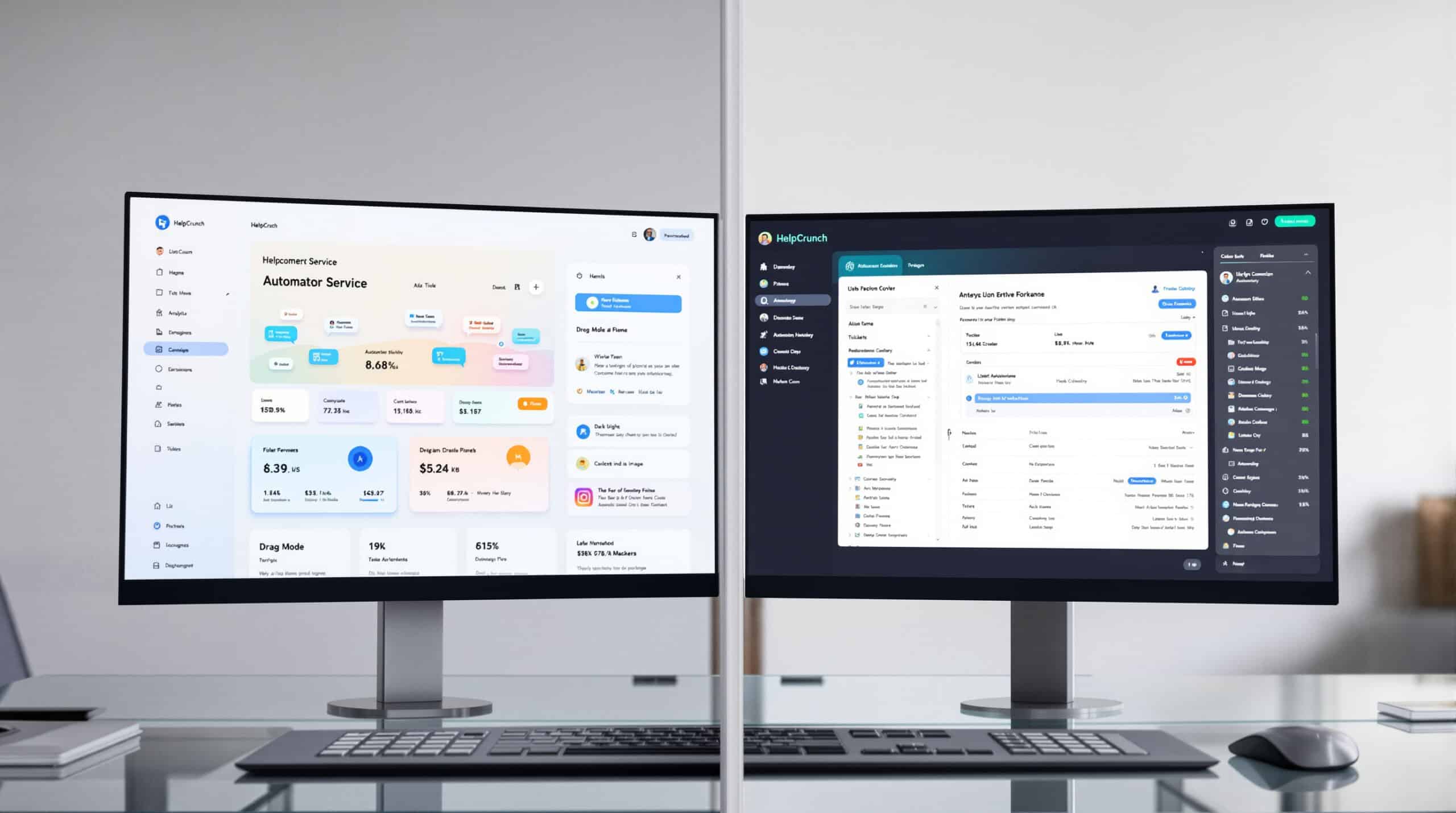
When selecting the best HelpCrunch alternative for your business, consider these key factors:
- Channel Requirements: Assess which communication channels are essential for your customers. If you need comprehensive omnichannel support including WhatsApp and social media, platforms like Talkees offer these capabilities without restrictive tier limitations.
- AI and Automation Needs: Evaluate how much you’ll rely on AI for customer support. If AI chatbots are central to your strategy, look for platforms with transparent AI pricing and generous conversation allowances rather than per-resolution charges.
- Team Size and Growth Plans: Consider both your current team size and future growth. Solutions with predictable pricing models (like Talkees) or flat-rate unlimited plans will provide better cost certainty as you scale.
- Integration Requirements: Ensure your chosen platform integrates with your critical business tools, whether that’s your e-commerce platform, CRM, or custom systems through API access.
- Budget Constraints: While pricing shouldn’t be the only factor, it’s important to understand the total cost of ownership, including per-seat charges, AI usage fees, and add-ons for channels like WhatsApp.
Our Recommendation
For most SMBs looking for a HelpCrunch alternative, Talkees offers the best combination of features, AI capabilities, omnichannel support, and transparent pricing. Its AI-first approach provides sophisticated automation without unpredictable costs, while its comprehensive omnichannel inbox ensures you can meet customers wherever they prefer to communicate.
For e-commerce businesses specifically on Shopify, Gorgias provides unmatched native integration. For enterprise organizations with complex workflow needs, Zendesk remains the industry standard. And for teams primarily focused on email support, Help Scout or Front offer specialized solutions.
Whatever your choice, ensure you have a clear migration plan in place before switching platforms to minimize disruption to yor customer support operations.





