
 English
 Slovenčina
 Français
 Magyar
Why Users Look for Desku.io Alternatives

Businesses typically seek Desku alternatives for three main reasons:
- Pricing constraints: While Desku offers competitive pricing ($19-29/user/month depending on plan), many businesses find that as they scale, they need more cost-effective options or pricing models that better align with their usage patterns.
- AI limitations: Though Desku includes AI features, some users report limitations in training capabilities, knowledge integration, and conversation handling, leading them to seek platforms with more advanced AI capabilities.
- Omnichannel coverage needs: As businesses grow, they often require more comprehensive channel support beyond what Desku offers, including deeper integrations with e-commerce platforms, social media, and messaging services.
The Must-Have Checklist for a Desku Replacement

When evaluating Desku alternatives, ensure your chosen platform includes these essential features:
- Live chat + AI chatbot: Real-time customer engagement with intelligent automation
- Unified inbox: Centralized management of email, chat, social media, and other communication channels
- E-commerce integrations: Seamless connections with Shopify, WooCommerce, and other platforms
- SLAs and automation workflows: Customizable service level agreements and workflow automation
- Comprehensive analytics: Detailed reporting on support performance and customer satisfaction
- Open APIs: Flexibility to connect with your existing tech stack
- Data privacy controls: Robust security and compliance features
How We Evaluate Desku.io Alternatives

Our comparison methodology focuses on four key areas:
- Performance metrics: We measure first response time (FRT), resolution rates, and customer satisfaction (CSAT) across platforms.
- AI capabilities: We test each platform’s AI bot accuracy, training capabilities, and integration with knowledge bases.
- E-commerce workflows: We evaluate how well each solution handles typical e-commerce scenarios like order status inquiries, returns, and refunds.
- Cost efficiency: We calculate the total cost of ownership, including per-agent costs and additional fees for features or channels.
Now, let’s explore the top Desku alternatives, starting with our leading recommendation.
Talkees — Modern, Flexible, and Affordable Desku Alternative
Talkees stands out as a modern, AI-powered customer support platform that offers exceptional flexibility and affordability compared to Desku.io.
Key Features
- Powerful AI chatbot: Talkees’ conversational AI can be trained on your knowledge base, previous customer interactions, and product documentation to provide accurate, contextual responses.
- Unified omnichannel inbox: Seamlessly manage conversations across email, live chat, WhatsApp, Instagram, and Facebook from a single interface.
- E-commerce integration: Deep connections with Shopify and WooCommerce that provide agents with complete order context and action capabilities.
- Intuitive workflow automation: No-code automation builder that makes it easy to create complex workflows without technical expertise.
- Comprehensive analytics: Real-time dashboards tracking key metrics like response time, resolution rate, and customer satisfaction.
- Open API and webhooks: Flexible integration options with your existing tech stack.
Pricing
Talkees offers a transparent, value-oriented pricing structure:
- Starter: $15/agent/month (billed annually) – Includes basic live chat, email support, and limited AI features
- Professional: $29/agent/month – Adds full AI capabilities, omnichannel support, and advanced automation
- Enterprise: Custom pricing – Includes dedicated support, custom integrations, and advanced security features
All plans include unlimited contacts and conversations, unlike some competitors that charge based on ticket volume.
Complete Feature Set
- Communication channels: Email, live chat, social media (Facebook, Instagram), messaging apps (WhatsApp), voice integration
- AI capabilities: Intelligent chatbot, agent assist with suggested responses, automated ticket categorization, sentiment analysis
- Knowledge management: Searchable knowledge base, AI-powered article suggestions, community forums
- Workflow tools: Custom automation rules, SLA management, team collaboration features
- Reporting: Custom dashboards, performance analytics, customer journey tracking
- Security: GDPR compliance, role-based access control, data encryption
User Experience and Reviews
Talkees consistently receives positive feedback for its intuitive interface and quick setup process. Users particularly praise:
- “”The AI chatbot resolved 40% of our routine inquiries within the first month.””
- “”Setting up automation workflows took minutes rather than hours.””
- “”The unified inbox has dramatically improved our response times across all channels.””
- “”Seamless Shopify integration gives our agents complete context for customer issues.””
Pros and Cons
Pros:
- Exceptionally intuitive user interface requiring minimal training
- Advanced AI capabilities that improve with usage
- Comprehensive omnichannel support included in standard pricing
- Excellent e-commerce integrations for Shopify and WooCommerce
- Transparent, predictable pricing without hidden fees
Cons:
- Newer platform with a growing (but not yet extensive) marketplace of integrations
- Advanced reporting features require Professional plan or higher
- Phone/voice support requires additional configuration
Our Subjective Assessment
After testing Talkees extensively, we found it strikes an excellent balance between powerful features and usability. The platform’s AI capabilities are particularly impressive, with the chatbot handling a wide range of inquiries accurately after just a few weeks of training.
What stood out most was how quickly our test team was able to get up and running. Within a day, we had connected multiple channels, set up basic automations, and started handling customer inquiries. The e-commerce integration with Shopify was particularly seamless, giving agents immediate access to order details, shipping information, and return status.
For small to medium-sized businesses looking for an affordable, AI-powered alternative to Desku, Talkees offers the best combination of features, ease of use, and value. The platform feels modern and thoughtfully designed, with regular updates introducing new capabilities.
Zendesk — Enterprise Scale and Marketplace Ecosystem

Zendesk is a well-established player in the customer service space, offering robust features and scalability for growing businesses and enterprises.
Pricing
- Suite Team: $55/agent/month (billed annually)
- Suite Growth: $89/agent/month
- Suite Professional: $115/agent/month
- Enterprise: Custom pricing
Complete Feature Set
Zendesk offers a comprehensive set of features including ticketing, live chat, voice support, knowledge base, and an extensive app marketplace with over 1,000 integrations. Its AI capabilities include answer bot, automated ticket routing, and predictive analytics.
User Experience and Reviews
Users praise Zendesk’s reliability and extensive customization options but note the learning curve can be steep. The platform receives high marks for its robust reporting and enterprise-grade capabilities.
Pros and Cons
Pros:
- Extensive marketplace with 1,000+ integrations
- Highly customizable workflows and automations
- Comprehensive reporting and analytics
- Established platform with proven reliability
- Strong enterprise features including advanced security
Cons:
- Significantly higher price point than Desku
- Complex interface with steeper learning curve
- Many advanced features require higher-tier plans
- Additional costs for certain channels and capabilities
Our Subjective Assessment
During our testing, Zendesk impressed with its depth of features and customization options. However, we found the interface less intuitive than Talkees, requiring more time for team members to become proficient. The platform’s strength lies in its maturity and extensive integration options, making it ideal for larger organizations with complex support requirements.
For enterprises needing advanced workflow capabilities and willing to invest in a comprehensive solution, Zendesk remains a strong choice despite its premium pricing.
Freshdesk — SMB-Friendly Omnichannel with Strong Automations
Freshdesk offers a balance of features and affordability that makes it popular among small and medium-sized businesses.
Pricing
- Free: Up to 3 agents
- Growth: $15/agent/month (billed annually)
- Pro: $49/agent/month
- Enterprise: $79/agent/month
Complete Feature Set
Freshdesk provides ticketing, omnichannel support, automation capabilities, knowledge base, and reporting. Its AI assistant, Freddy, offers chatbot functionality, suggested responses, and ticket categorization.
User Experience and Reviews
Users appreciate Freshdesk’s clean interface and relatively quick setup process. The platform receives positive feedback for its automation capabilities and value for smaller teams.
Pros and Cons
Pros:
- Free plan available for very small teams
- Intuitive interface requiring minimal training
- Strong automation capabilities
- Good balance of features and affordability
- Solid mobile app for on-the-go support
Cons:
- AI capabilities not as advanced as some competitors
- Some features fragmented across Freshworks products
- Limited customization compared to enterprise solutions
- Advanced features require higher-tier plans
Our Subjective Assessment
In our testing, Freshdesk stood out for its ease of implementation and user-friendly interface. The automation capabilities are impressive for the price point, allowing teams to quickly set up common workflows. Freddy AI handled basic inquiries well but required more training than Talkees’ AI for complex scenarios.
For small to medium businesses looking for a balance of features and affordability, Freshdesk offers a compelling package, especially with its free tier for very small teams.
Help Scout — Human-Centric Inbox and Docs

Help Scout focuses on delivering a personal, human touch to customer support with its clean, email-like interface.
Pricing
- Standard: $20/user/month (billed annually)
- Plus: $40/user/month
- Pro: $65/user/month
Complete Feature Set
Help Scout offers shared inbox, live chat, knowledge base, and basic automation. The platform emphasizes simplicity and a personal approach to customer communication.
User Experience and Reviews
Users consistently praise Help Scout’s clean interface and focus on human-to-human interaction. The platform receives high marks for its knowledge base capabilities and ease of use.
Pros and Cons
Pros:
- Clean, email-like interface that’s extremely intuitive
- Excellent knowledge base functionality (Docs)
- Strong focus on personal, human support
- Transparent pricing without hidden fees
- Collision detection to prevent duplicate responses
Cons:
- Limited AI and automation capabilities compared to competitors
- Fewer integrations than enterprise platforms
- Less robust for omnichannel support
- Limited customization options
Our Subjective Assessment
Help Scout impressed us with its simplicity and focus on human interaction. The interface feels like using email, making it instantly familiar to new team members. The knowledge base tool (Docs) is particularly well-designed, making it easy to create and maintain support content.
For teams that prioritize personal, human-centric support over AI automation, Help Scout offers an excellent experience. However, businesses needing advanced AI capabilities or extensive omnichannel support may find it limiting.
Zoho Desk — Suite-Led Value with CRM Ties

Zoho Desk offers strong value as part of the broader Zoho ecosystem, with tight integration across Zoho’s business applications.
Pricing
- Standard: $14/agent/month (billed annually)
- Professional: $23/agent/month
- Enterprise: $40/agent/month
Complete Feature Set
Zoho Desk includes ticketing, multichannel support, knowledge base, and automation through its Blueprints visual workflow designer. Its AI assistant, Zia, provides ticket tagging, sentiment analysis, and suggested responses.
User Experience and Reviews
Users highlight the value proposition and integration with other Zoho products. The platform receives positive feedback for its customization capabilities and process-oriented approach.
Pros and Cons
Pros:
- Excellent value for feature set
- Strong integration with Zoho CRM and other Zoho applications
- Powerful workflow automation through Blueprints
- Comprehensive multichannel support included in pricing
- Highly customizable with Deluge scripting
Cons:
- Interface less polished than some competitors
- Steeper learning curve for advanced features
- Mobile app experience could be improved
- May feel overwhelming for very small teams
Our Subjective Assessment
During testing, Zoho Desk impressed us with its comprehensive feature set and value proposition. The Blueprints workflow designer is particularly powerful, allowing for complex process automation. For businesses already using other Zoho products, the tight integration provides significant advantages in terms of customer context and data flow.
The interface isn’t as immediately intuitive as Talkees or Help Scout, but the depth of functionality compensates for this learning curve. For businesses seeking a cost-effective solution with strong process automation and CRM integration, Zoho Desk is an excellent choice.
Gorgias — E-Commerce Specialist

Gorgias is purpose-built for e-commerce businesses, with deep integrations into platforms like Shopify, Magento, and BigCommerce.
Pricing
- Basic: $60/month for 350 tickets
- Pro: $300/month for 2,800 tickets
- Advanced: $750/month for 5,000 tickets
Gorgias uses a ticket-based pricing model rather than per-agent pricing.
Complete Feature Set
Gorgias offers ticketing, live chat, social media management, and e-commerce-specific features like order management directly from the support interface. Its automation capabilities are tailored to e-commerce workflows.
User Experience and Reviews
E-commerce businesses praise Gorgias for its seamless integration with their stores and ability to manage customer support directly within the context of orders. The platform receives high marks for its e-commerce-specific functionality.
Pros and Cons
Pros:
- Unmatched e-commerce integration depth
- Order information and actions directly in the support interface
- Ticket-based pricing can benefit teams with many part-time agents
- Purpose-built automations for e-commerce scenarios
- Strong social media management capabilities
Cons:
- Limited value for non-e-commerce businesses
- Ticket-based pricing can become expensive during high-volume periods
- Less advanced AI capabilities than some competitors
- Not as flexible for complex, non-e-commerce workflows
Our Subjective Assessment
Gorgias stands out for its laser focus on e-commerce support needs. The ability to view complete order details, process refunds, and manage shipping issues directly from the support interface is a significant time-saver. During our testing, we were impressed by how seamlessly it integrated with Shopify and how effectively it handled common e-commerce support scenarios.
For online stores seeking a support solution that deeply understands e-commerce workflows, Gorgias offers unmatched specialization. However, businesses with diverse support needs beyond e-commerce may find it somewhat limiting.
LiveAgent — Broad Channel Coverage and Call Center Features

LiveAgent offers extensive channel support and robust call center capabilities, making it suitable for businesses with diverse communication needs.
Pricing
- Free: Limited features, 7-day ticket history
- Ticket: $15/agent/month (billed annually)
- Ticket+Chat: $29/agent/month
- All-Inclusive: $49/agent/month
Complete Feature Set
LiveAgent provides ticketing, live chat, social media support, video calling, call center functionality, knowledge base, and basic automation. It offers one of the broadest ranges of communication channels among helpdesk solutions.
User Experience and Reviews
Users appreciate LiveAgent’s comprehensive channel coverage and call center features. The platform receives positive feedback for its value proposition and ability to consolidate multiple communication channels.
Pros and Cons
Pros:
- Extensive channel coverage including voice, video, and social
- Built-in call center functionality
- Competitive pricing for feature set
- Free plan available for very small businesses
- Strong time-tracking and SLA management
Cons:
- Interface less modern than some competitors
- Limited AI capabilities compared to newer platforms
- More complex setup for advanced features
- Knowledge base functionality less robust than specialized solutions
Our Subjective Assessment
During our evaluation, LiveAgent impressed us with its breadth of channel support and call center capabilities. The ability to handle voice, video, chat, email, and social media from a single platform provides significant operational advantages. The interface, while functional, feels less modern than Talkees or Help Scout.
For businesses needing comprehensive channel coverage including robust voice support at a reasonable price point, LiveAgent offers excellent value. However, organizations prioritizing advanced AI capabilities or a cutting-edge user experience may prefer other options.
HelpCrunch — Support + Marketing Toolkit
HelpCrunch combines customer support functionality with marketing capabilities, offering a unified approach to customer communication.
Pricing
- Basic: $15/agent/month (billed annually)
- Pro: $25/agent/month
- Enterprise: Custom pricing
Complete Feature Set
HelpCrunch includes live chat, email support, knowledge base, basic automation, and marketing features like targeted messages and email campaigns. Its unified approach allows for consistent customer communication across support and marketing initiatives.
User Experience and Reviews
Users highlight the platform’s clean interface and the value of having support and marketing tools in one solution. The platform receives positive feedback for its live chat functionality and ease of implementation.
Pros and Cons
Pros:
- Combined support and marketing functionality
- Clean, modern interface
- Competitive pricing for combined capabilities
- Strong live chat features
- Good balance of simplicity and functionality
Cons:
- Less specialized for complex support scenarios
- Fewer integrations than enterprise platforms
- Limited AI capabilities compared to AI-focused alternatives
- Less robust for large support teams with specialized needs
Our Subjective Assessment
HelpCrunch offers an interesting combination of support and marketing capabilities that works well for businesses seeking to unify their customer communication. During testing, we found the live chat functionality particularly strong, with good customization options and a modern interface.
The marketing capabilities, including targeted messages and campaigns, provide added value beyond traditional helpdesk features. For small to medium businesses looking to consolidate support and marketing tools, HelpCrunch offers a compelling package, though it may not match the depth of specialized solutions in either category.
HappyFox — Structured Workflows and Robust Knowledge Base
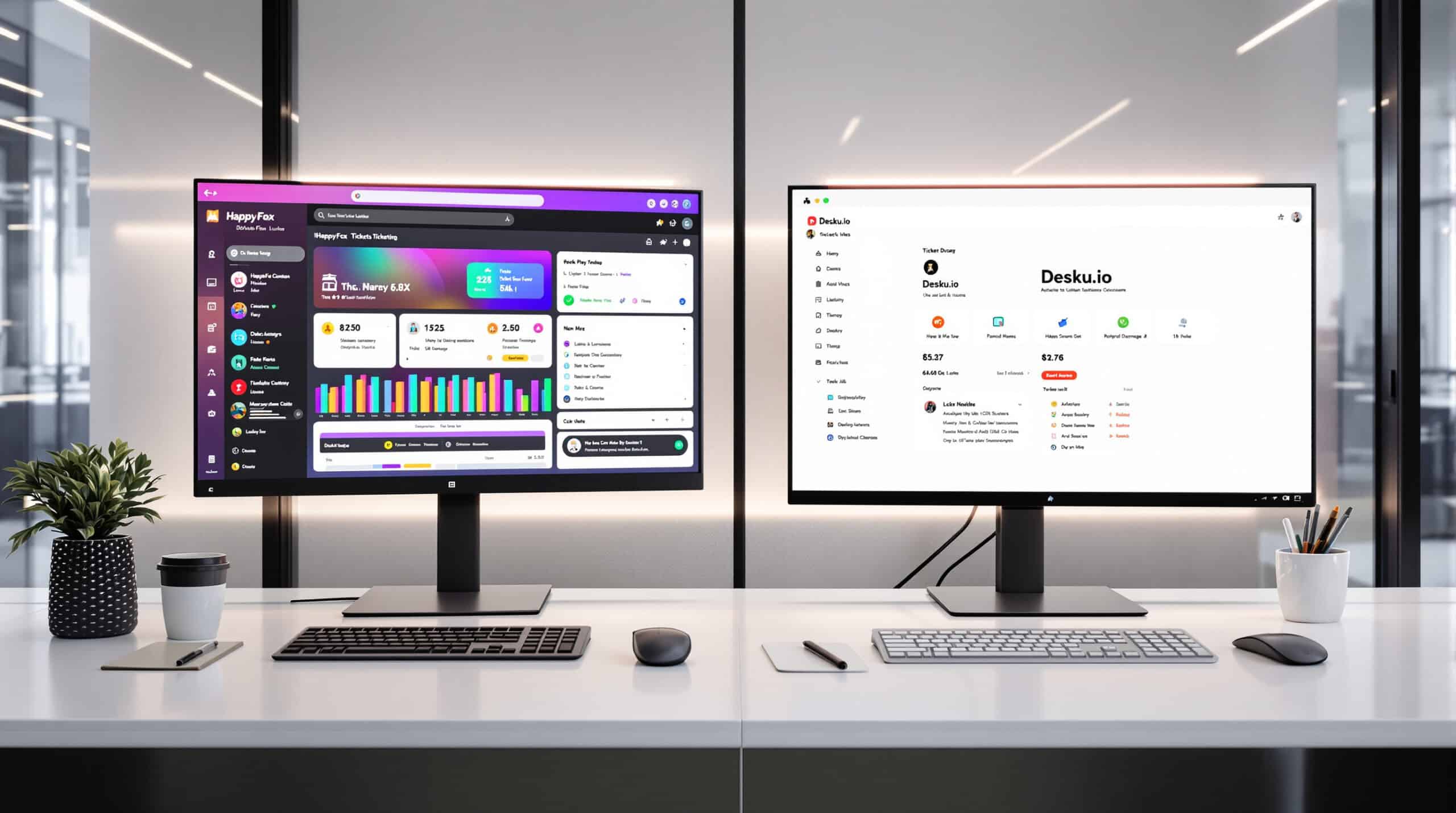
HappyFox focuses on structured support workflows and knowledge management, with strong categorization and organization capabilities.
Pricing
- Mighty: $29/agent/month (billed annually)
- Fantastic: $49/agent/month
- Enterprise: $69/agent/month
- Enterprise Plus: Custom pricing
Complete Feature Set
HappyFox provides ticketing, knowledge base, automation, reporting, and multichannel support. It emphasizes structured workflows, ticket categorization, and knowledge management.
User Experience and Reviews
Users appreciate HappyFox’s structured approach to support and robust knowledge base capabilities. The platform receives positive feedback for its customization options and workflow management.
Pros and Cons
Pros:
- Excellent ticket categorization and organization
- Strong knowledge base functionality
- Robust workflow automation
- Good customization capabilities
- Solid reporting and analytics
Cons:
- Higher starting price than some alternatives
- Interface feels less modern than newer platforms
- Limited AI capabilities compared to AI-focused solutions
- Setup can be more complex for advanced workflows
Our Subjective Assessment
During our evaluation, HappyFox stood out for its structured approach to support workflows and knowledge management. The platform’s strength lies in its ability to organize and categorize support issues effectively, making it easier to track and resolve complex problems.
The knowledge base functionality is particularly strong, with good search capabilities and content organization. For businesses with complex support needs requiring structured workflows and robust knowledge management, HappyFox offers a solid solution, though at a higher price point than some alternatives.
Front — Collaborative Inbox Approach to Support
Front takes a unique approach to customer support, blending email, team collaboration, and customer communication in a unified inbox.
Pricing
- Starter: $19/user/month (billed annually)
- Prime: $49/user/month
- Enterprise: $99/user/month
Complete Feature Set
Front offers shared inbox, email management, team collaboration, basic automation, and integration with various communication channels. Its approach focuses on making email collaborative while maintaining a personal touch with customers.
User Experience and Reviews
Users praise Front’s collaborative approach to email and customer communication. The platform receives high marks for its clean interface and ability to make team email management more efficient.
Pros and Cons
Pros:
- Excellent collaborative email management
- Clean, intuitive interface
- Strong team coordination features
- Maintains personal feel in customer communications
- Good balance of simplicity and functionality
Cons:
- Less focused on traditional helpdesk features
- Limited knowledge base capabilities
- Fewer automation options than specialized helpdesks
- Not as strong for non-email channels
Our Subjective Assessment
Front offers a refreshing approach to customer support, focusing on making email truly collaborative. During testing, we were impressed by how effectively it enabled team coordination around customer communications while maintaining a personal touch.
The interface is clean and intuitive, making it easy for team members to adapt. For businesses that primarily communicate with customers via email and want to improve team collaboration around those communications, Front offers an excellent solution. However, organizations needing comprehensive helpdesk features or advanced AI capabilities may find it somewhat limiting.
Short-Term Deal vs Long-Term Value: Evaluating Desku AppSumo

When considering Desku alternatives, many businesses are attracted to lifetime deals like those offered through AppSumo. While these can provide significant upfront savings, it’s important to evaluate them against long-term considerations:
Scalability Considerations
Lifetime deals often come with limitations on seats, features, or usage that may become restrictive as your business grows. Before committing to a lifetime deal, carefully assess:
- Growth projections: Will the included seats and features support your team’s growth over the next 2-3 years?
- Feature roadmap: Are future updates included, or might you need to upgrade later?
- Usage limits: Are there caps on tickets, conversations, or storage that could become problematic?
Support Quality Assessment
The level of support provided with lifetime deals can vary significantly:
- Response times: Lifetime deal customers sometimes receive lower priority support.
- Implementation assistance: Premium onboarding services may be excluded.
- Training resources: Access to training and educational materials might be limited.
Total Cost of Ownership Analysis
While the upfront cost may seem attractive, calculate the true TCO:
- Migration costs: Factor in the time and resources needed to migrate from your current system.
- Integration expenses: Consider any additional costs for connecting with your tech stack.
- Opportunity cost: Evaluate what you might miss by committing to one platform long-term.
For most growing businesses, the flexibility of a subscription model with a platform that scales with your needs often provides better long-term value than a limited lifetime deal.
Migration Considerations from Desku.io

Transitioning from Desku to another platform requires careful planning. Here are the key considerations:
Ticket and Knowledge Base Import
- Historical data: Most alternatives offer CSV import for tickets, though threading and attachments may require additional steps.
- Knowledge base migration: Articles typically need to be exported and reformatted for the new platform.
- Timeline: Allow 2-4 weeks for data migration, depending on volume and complexity.
Automation and Workflow Parity
- Macro/canned response mapping: Create equivalent macros in your new system.
- Workflow recreation: Document your current automations and recreate them in the new platform.
- Testing period: Plan for a parallel testing phase to ensure workflows function as expected.
Single Sign-On and Security Configuration
- SSO setup: Reconfigure SSO providers for the new platform.
- Permission mapping: Create equivalent role structures and permissions.
- Security compliance: Ensure the new platform meets your compliance requirements.
Chat Widget Replacement
- Code update: Replace the Desku chat widget code with your new provider’s snippet.
- Styling consistency: Configure the new widget to match your brand guidelines.
- Transition messaging: Consider adding messaging to inform customers about the upcoming change.
Many top alternatives offer migration assistance, including data import tools and consultative support to ease the transition process.
At-a-Glance Desku.io Comparisons Matrix

| Feature | Talkees | Zendesk | Freshdesk | Help Scout | Zoho Desk |
|---|---|---|---|---|---|
| Starting Price | $15/agent/mo | $55/agent/mo | $15/agent/mo | $20/user/mo | $14/agent/mo |
| Free Plan | No | No | Yes (3 agents) | No | Yes (3 agents) |
| AI Chatbot | Advanced | Advanced | Basic-Moderate | Limited | Moderate |
| E-commerce Integration | Strong | Moderate | Moderate | Basic | Moderate |
| Channel Coverage | Comprehensive | Extensive | Good | Limited | Good |
| Ease of Use | Excellent | Moderate | Good | Excellent | Moderate |
| Automation Depth | Strong | Excellent | Good | Basic | Strong |
| Best For | SMBs needing AI + omnichannel | Enterprises | Growing SMBs | Human-centric support | Zoho ecosystem users |
Conclusion and Final Recommendations

When selecting a Desku alternative, your choice should align with your specific business needs, growth trajectory, and support philosophy:
- Talkees stands out for businesses seeking a modern, AI-powered platform with excellent omnichannel capabilities at an affordable price point. Its intuitive interface and strong e-commerce integrations make it particularly well-suited for online retailers and growing SMBs.
- Zendesk remains the go-to choice for enterprises requiring extensive customization, integration options, and scalability, despite its premium pricing.
- Freshdesk offers a solid balance of features and affordability, with a free tier that’s perfect for very small teams just getting started.
- Help Scout excels for businesses prioritizing a personal, human-centric approach to customer support with minimal complexity.
- Zoho Desk provides exceptional value for organizations already invested in the Zoho ecosystem, with strong process automation through its Blueprints feature.
For most small to medium-sized businesses looking for the best combination of modern features, AI capabilities, and value, Talkees offers the most compelling package as a Desku alternative. Its powerful yet intuitive platform strikes the right balance between advanced functionality and ease of use, with a pricing structure that scales reasonably as your team grows.
Before making your final decision, take advantage of free trials offered by these platforms to ensure the solution you choose aligns with your team’s workflow and customer support philosophy.





